
PDF to Word Converter
Convert your PDF documents to editable Word files instantly. Preserve formatting, images, and tables with perfect accuracy.
Upgrade to Premium
Get unlimited conversions and priority processing
Upload Your PDF File
Drag and drop your PDF file here or click to browse
Supports PDF files up to 50MB
sample-document.pdf
2.5 MB • Uploaded successfully
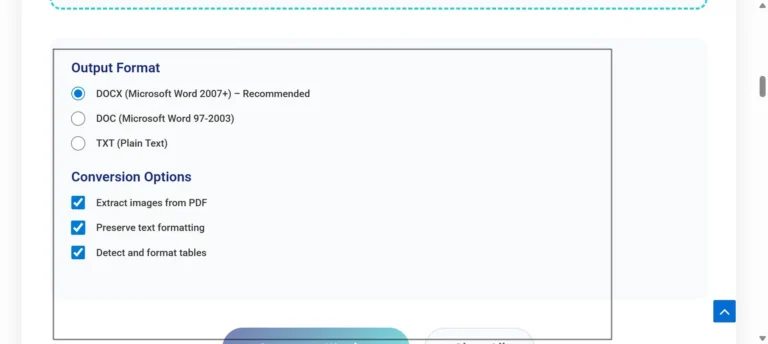
Output Format
Conversion Options
Converting Your PDF…
Processing document content
Conversion Complete!
Your PDF has been successfully converted to Word format
Conversion Details:
Pages: 0 | Words: 0 | Format: DOCX
Your file will be automatically deleted from browser memory
Need More PDF Tools?
Try our complete PDF toolkit with 20+ professional tools
Real Conversion
Uses PDF.js and Docx.js libraries for actual PDF-to-Word conversion in your browser
Client-Side Processing
Files never leave your browser – complete privacy and security guaranteed
Actual Text Extraction
Extracts real text content from PDFs and converts to editable Word format
Business PDF Solutions
Enterprise-grade PDF conversion for teams and organizations
How to Convert PDF to Word
Upload PDF
Drag & drop or click to upload your PDF file. We support files up to 50MB.
Set Options
Choose your output format (DOCX or DOC) and conversion preferences.
Real Conversion
Click “Convert to Word” – actual text extraction happens in your browser.
Download Real File
Download your actual Word document with extracted text content.
Frequently Asked Questions
Yes, this is a real working converter. We use PDF.js library to parse PDF files and extract text content, then convert it to Word format using Docx.js. All processing happens in your browser – no files are uploaded to any server.
1. PDF Parsing: PDF.js library reads and parses the PDF file structure
2. Text Extraction: Extracts text content, fonts, and basic formatting
3. Word Creation: Docx.js creates a real .docx file with extracted content
4. Download: FileSaver.js enables direct download of the Word document
• Text Extraction: All readable text content
• Basic Formatting: Bold, italic, underline (when preserved in PDF)
• Page Structure: Maintains paragraph structure
• Limited Images: Basic image extraction support
Note: Complex PDFs with embedded fonts or advanced layouts may have limited conversion accuracy.
Browser-side conversion provides:
• Complete Privacy: Your files never leave your computer
• No Server Costs: Unlimited free conversions
• Instant Processing: No waiting for server queues
• No File Size Limits: Limited only by browser memory
• Scanned PDFs: Cannot convert image-based PDFs (OCR not included)
• Complex Formatting: Tables and columns may not convert perfectly
• Embedded Fonts: Custom fonts may not be preserved
• Large Files: Very large PDFs may cause browser performance issues
• Encrypted PDFs: Password-protected PDFs cannot be processed
PDF to Word Converter: Make Editing Documents Easy for Everyone
Today, people use digital files every day for school, work, and personal needs. One common problem many users face is editing a PDF file. PDFs are great for sharing, but they are hard to change. This is where a PDF to Word Converter becomes very helpful. It allows users to turn a PDF file into a Word document that they can edit easily.
Because of this simple solution, people save time and avoid stress. Students, teachers, office workers, and even beginners can use this tool without learning new skills.
What Is a PDF and Why Is It Hard to Edit?
A PDF is a file format that keeps text, images, and layout fixed. This means the file looks the same on all devices. However, this also makes editing difficult. For example, if you want to change text or add new lines, you usually cannot do that in a PDF.
So, instead of typing everything again, users choose a PDF to Word Converter. This tool changes the PDF into a Word file, which is easy to edit, save, and share. As a result, work becomes faster and simpler.
How a PDF to Word Converter Works
First, the user uploads a PDF file. Then, the tool reads the content of the file. After that, it converts the text and layout into a Word document. Finally, the user downloads the Word file and starts editing.
Most online tools do this in just a few seconds. Also, many tools work directly in the browser. This means users do not need to install any software. Because of this, even young students can use the tool safely and easily.
Why People Use PDF to Word Conversion
There are many reasons why people choose to convert PDF files to Word. For example, students want to edit notes or assignments. Teachers want to update learning material. Office workers want to change reports or letters.
Moreover, parents may want to edit forms, while small business owners want to update documents. Since everyone has different needs, this tool supports many daily tasks. Therefore, it becomes useful for all age groups.
Benefits of Using a PDF to Word Converter
One big benefit is time saving. Instead of retyping text, users edit the file directly. Another benefit is accuracy. The converted Word file keeps most of the original layout.
Also, users can change fonts, fix spelling, and add new content easily. Because of these benefits, a PDF to Word Converter improves productivity. In addition, many online tools are free, which makes them accessible to everyone.
Safe and Easy for All Ages
Safety is important, especially for children and families. Many online tools process files inside the browser. This means files are not stored on servers for long. As a result, user data stays private.
The simple design also helps younger users. Buttons are clear, steps are short, and results are quick. Because of this, even a 10-year-old can understand how to use the tool without help.
When You Should Use PDF to Word Conversion
You should use this tool when you need to edit text from a PDF. For example, if a teacher shares notes in PDF form and you want to add your own points, conversion helps. Similarly, if a company sends a form that needs changes, Word format is easier.
In the same way, old scanned documents can become editable files. Therefore, the tool supports learning, work, and daily tasks.
SEO and Online Work Benefits
For online work, editable content matters a lot. Bloggers, writers, and marketers often receive PDFs. By converting them to Word, they can reuse and update content.
This also helps with search engine optimization. Clean text is easier to improve and publish online. So, using a PDF to Word Converter supports both productivity and digital growth.
Final Thoughts
In conclusion, converting PDFs to Word files makes life easier. It saves time, reduces effort, and allows easy editing. The tool works online, is simple to use, and fits all age groups.
Whether you are a student, teacher, parent, or professional, this tool supports your daily needs. With just a few clicks, you turn a fixed file into an editable one. That is why a PDF to Word Converter is an important digital tool for everyone.